How to Buy Cardano on Binance US
Binance US offers several digital assets for trading, including Cardano (ADA). If you want to learn how to buy Cardano on Binance US, you are in the right place.
Please note that Binance US has been going through a rough patch since early 2023, as the exchange is dealing with allegations of fraud and money laundering, including ongoing lawsuits. If you are considering trading at Binance US, you should do your own research and, at the very least, take a look at our Binance US review.
A Step-By-Step Guide on How to Buy Cardano on Binance US
1. Register an Account
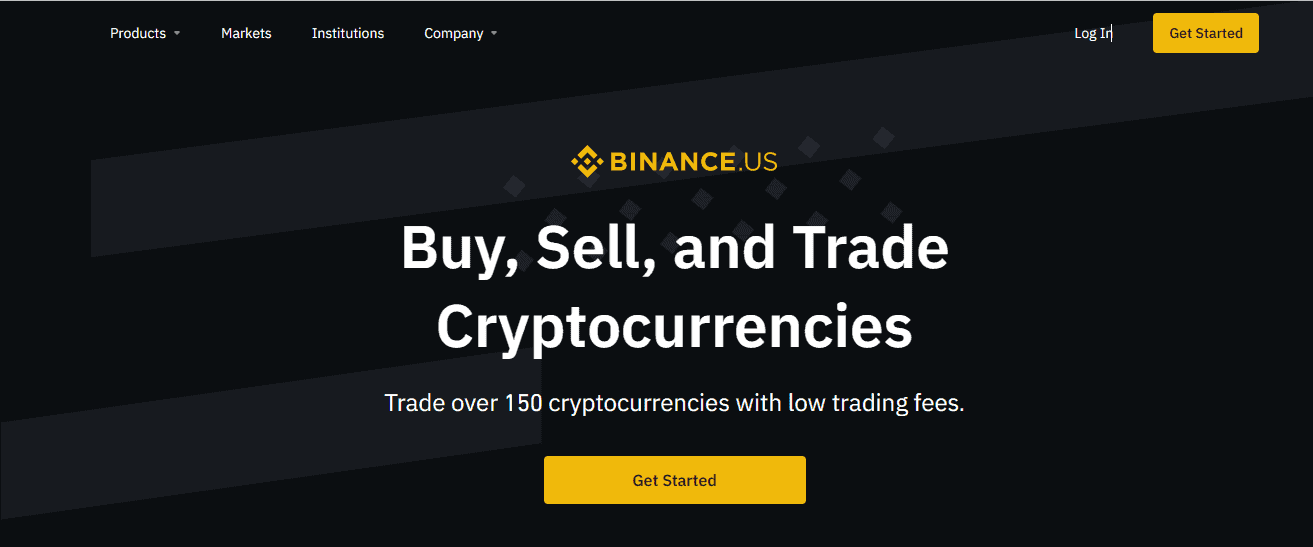
The first account of the business is to register a Binance US account.
As you can see, you only need a valid email address to complete this step. Once you hit the “Create Account” button, you will get a registration code to complete the sign-up process.
You will also be asked to share your phone number as a safety precaution. Binance US will send you a text with a login code.
2. Verify Your Account
Verifying your identity allows you to buy digital assets with credit and debit cards and to deposit cash to Binance US via domestic transfers. You will be able to do both after completing basic verification. If you complete advanced verification, you can also make wire transfers.
To start verification, go to your profile and select “Get Verified.”
Per federal law, you will be required to enter your SSN or ITIN, as well as some other personal details.
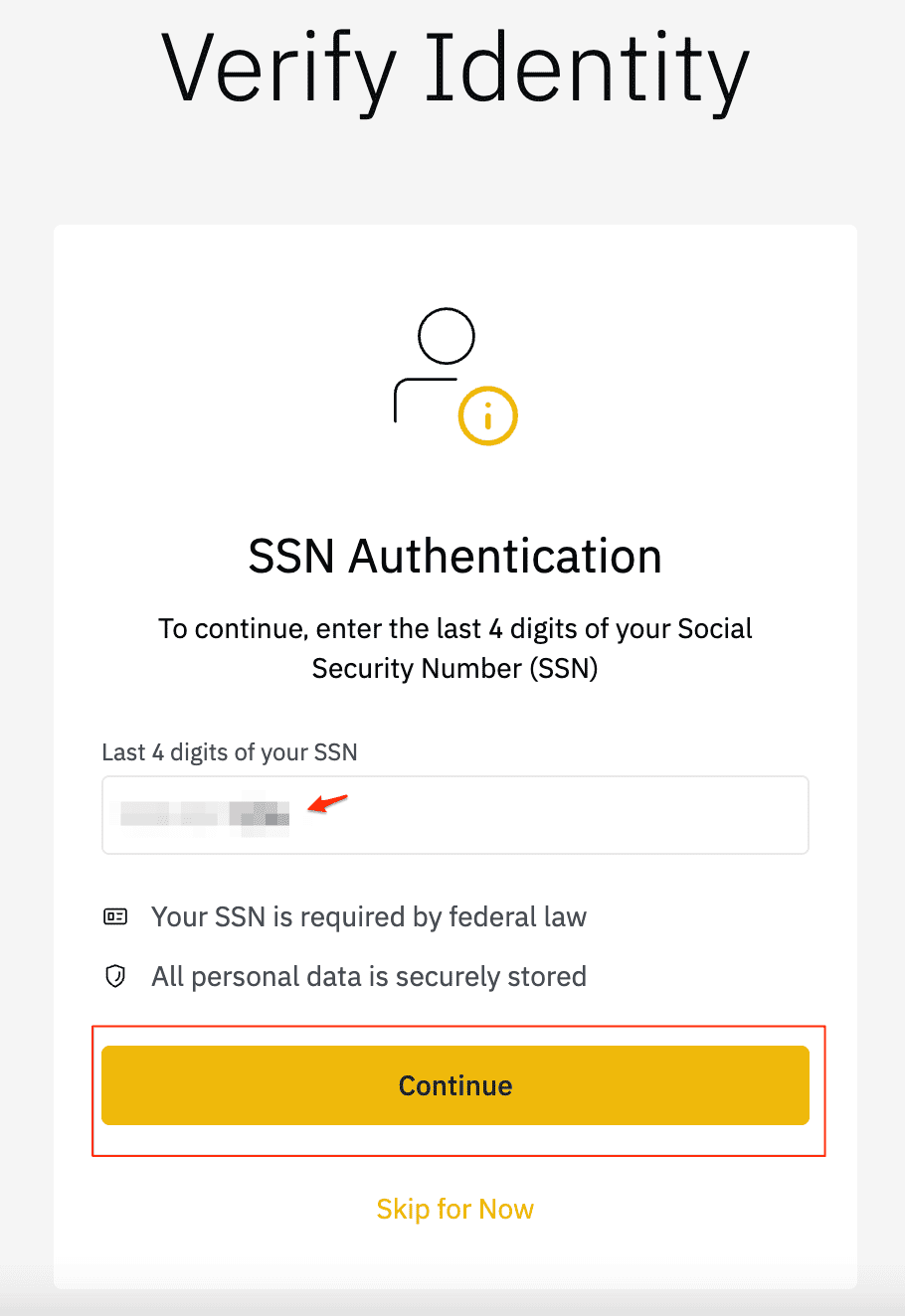
First, type the last 4 digits of your SSN.
Fill out the entire form.
After that, you will be asked for your address info. Your verification will be processed within a couple of minutes.
3. Deposit Funds/Crypto
Go to your “Account & Settings” page to deposit funds to your Binance US account.
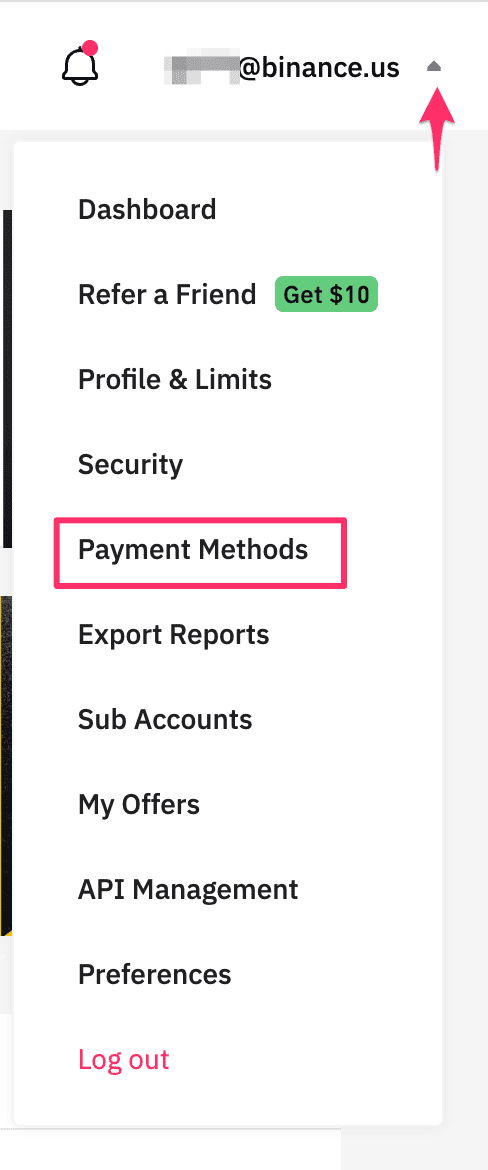
You will see a “Payment Methods” tab. You can now add a payment method to your account.
As you can see, you have 3 options: bank transfers, credit and debit cards, or domestic wires. You can add more than one payment method.
If you select the debit card option, you can link an existing debit card to your account. You simply have to enter your card info. After that, you will be able to make instant digital asset purchases. However, card purchases cost an extra processing fee, so this option can be more expensive.
A bank transfer is the cheapest way to fund your account, as ACH transfers are free of charge. Click “Bank Transfer,” and you will be prompted to link your Binance US account to your online banking account through “Plaid.”
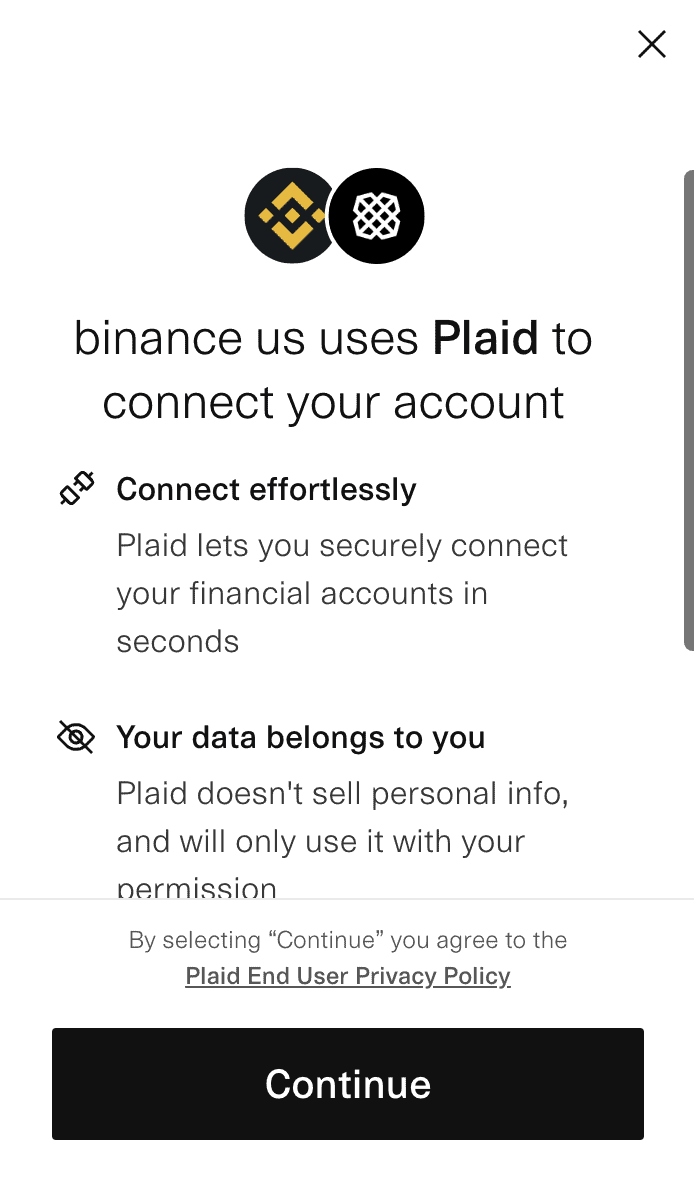
Plaid is a third-party service that helps you connect to financial institutions. Accept the terms of use and hit “Continue.”
Find your bank through the search function. You will be redirected to your online banking app to confirm your approval. Once you are done with that, your bank account will be listed as one of your payment methods.
Now go to your “Wallet” and hit “Deposit.”
As you can see, you can deposit both fiat and digital currencies into your account. Select USD from the list to deposit cash into your account.
Fill out the deposit form by entering the amount of the deposit. Select a deposit method (like a debit card or ACH transfer).
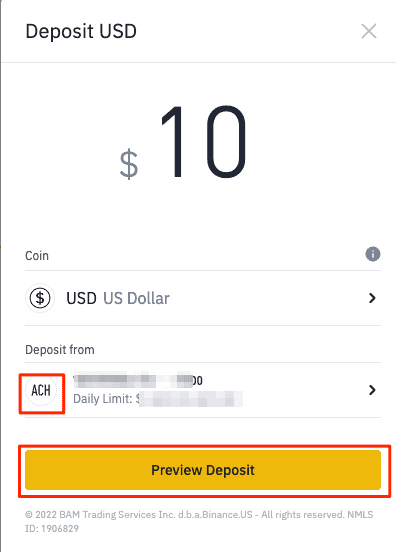
When you click “Preview Deposit,” you will see any added fees and the total amount that will reach your account. Click “Confirm Deposit” to continue.
If you make an ACH transfer, you will receive a chargeback notice that says you can’t withdraw your money and assets from the platform for 10 days. This is completely normal and only applies to your first deposit.
After you click “Proceed,” your deposit will be complete.
4. Navigate to the Relevant Screen to Buy
Now we are ready to buy some ADA. Go ahead and click the “Buy Crypto” button on your homepage.
Binance will take you to the “instant buy” form. Start by selecting the asset you want to buy. In our case, it will be Cardano, aka ADA.
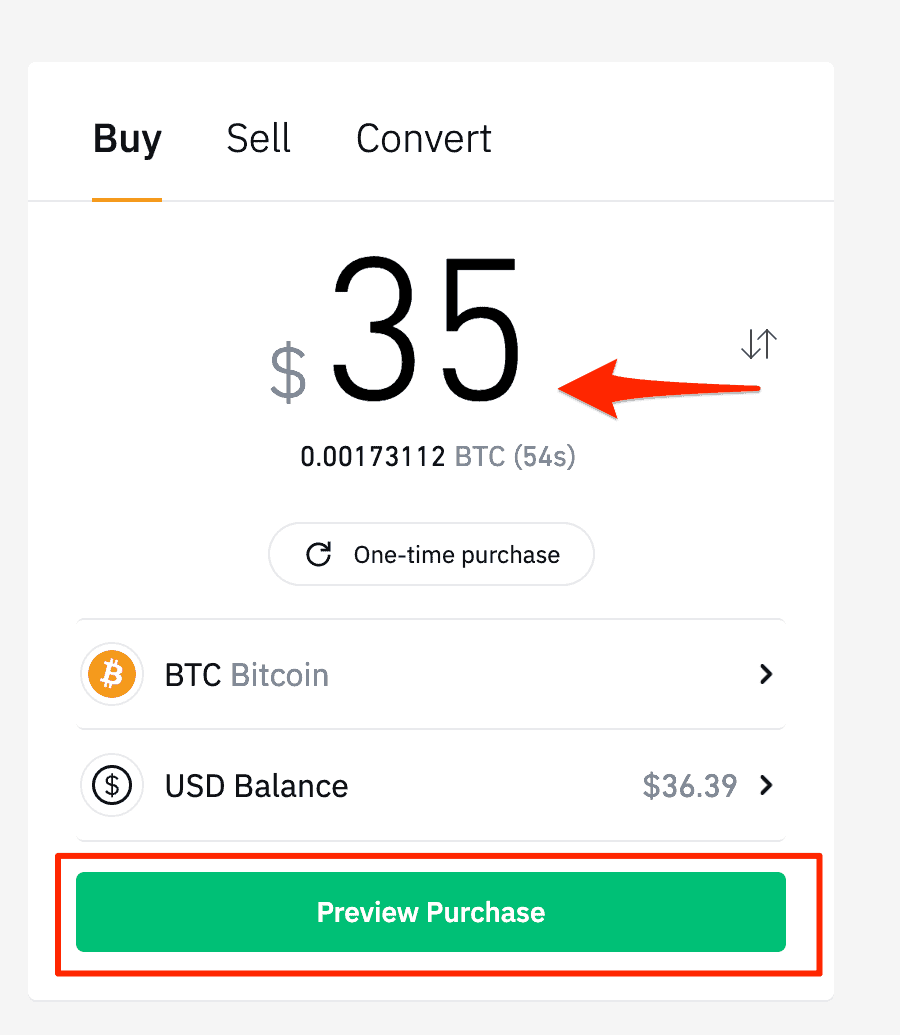
Now fill out the order form and select “Preview Purchase.”
Binance will display an order review before you confirm your purchase.
Review the order details and click “Confirm Purchase.” Once the order is processed, you will receive a confirmation email.
Your newly purchased ADA tokens will show up in your wallet after a few minutes. Now you know how to buy Cardano on Binance US.


 English
  French
  German
  Italian
  Spanish (Spain)
  Spanish (Mexico)
  Portuguese
  Japanese
  Polish
  Bulgarian
  Czech
Czech  Danish
  Dutch
Dutch  Estonian
  Finnish
  Greek
Greek  Hungarian
  Latvian
  Lithuanian
  Romanian
  Russian
  Slovak
  Slovenian
  Swedish
  Chinese (China)
  Chinese (Hong Kong)
  Korean
  Norwegian
  Turkish
  Indonesian
  Ukrainian