
How to Buy Ethereum on Poloniex
You can buy Ethereum on virtually any exchange, as it’s one of the most popular and prominent digital currencies in the market. Poloniex is one of those exchanges, at least for users based outside the US.
However, we urge you to read our guide on Poloniex before you make any purchases on the platform, as there have been several issues linked to the exchange, as well as its owner Justin Sun.
If you are set on the exchange, here is how to buy Ethereum on Poloniex.
A Step-By-Step Guide on How to Buy Ethereum on Poloniex
1. Register an Account
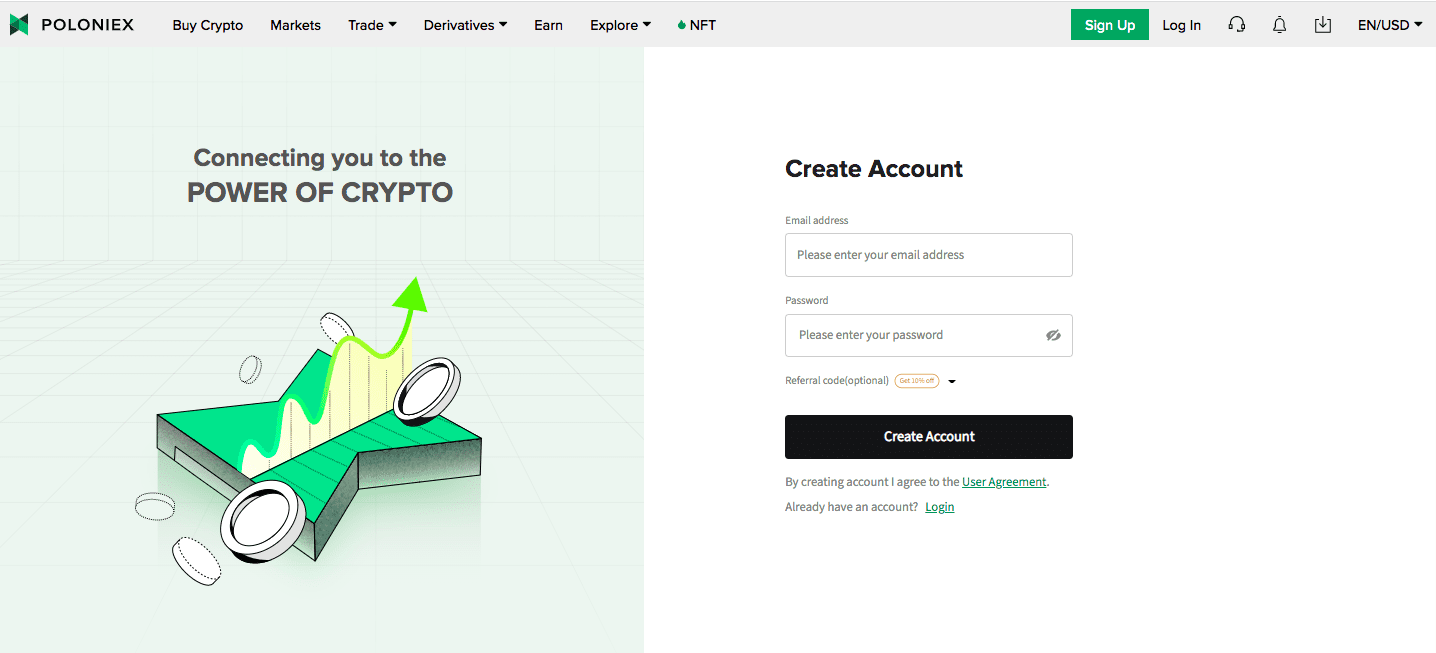
First of all, head to the Poloniex website and create an account.
2. Verify Your Account
Technically, you don’t have to verify your ID on Poloniex. All users are level 1 verified upon registration and can purchase assets with credit cards. Level 2 verification enables higher withdrawal limits but isn’t necessary for most retail traders.
Nonetheless, if you want to confirm your identity, go to your profile by clicking on the profile symbol on your dashboard.

Fill out the information form and upload an official photo ID, like a passport or a driver’s license. Hit “Get Started” for level 2 verification. You will be required to upload a photo ID.
3. Buy Crypto
Hit “Buy Crypto” to access the instant order form. Select the currency you want to spend (for example, USD) and the currency you want to buy (in this case, Ethereum or ETH). Enter the amount you wish to pay for your purchase.
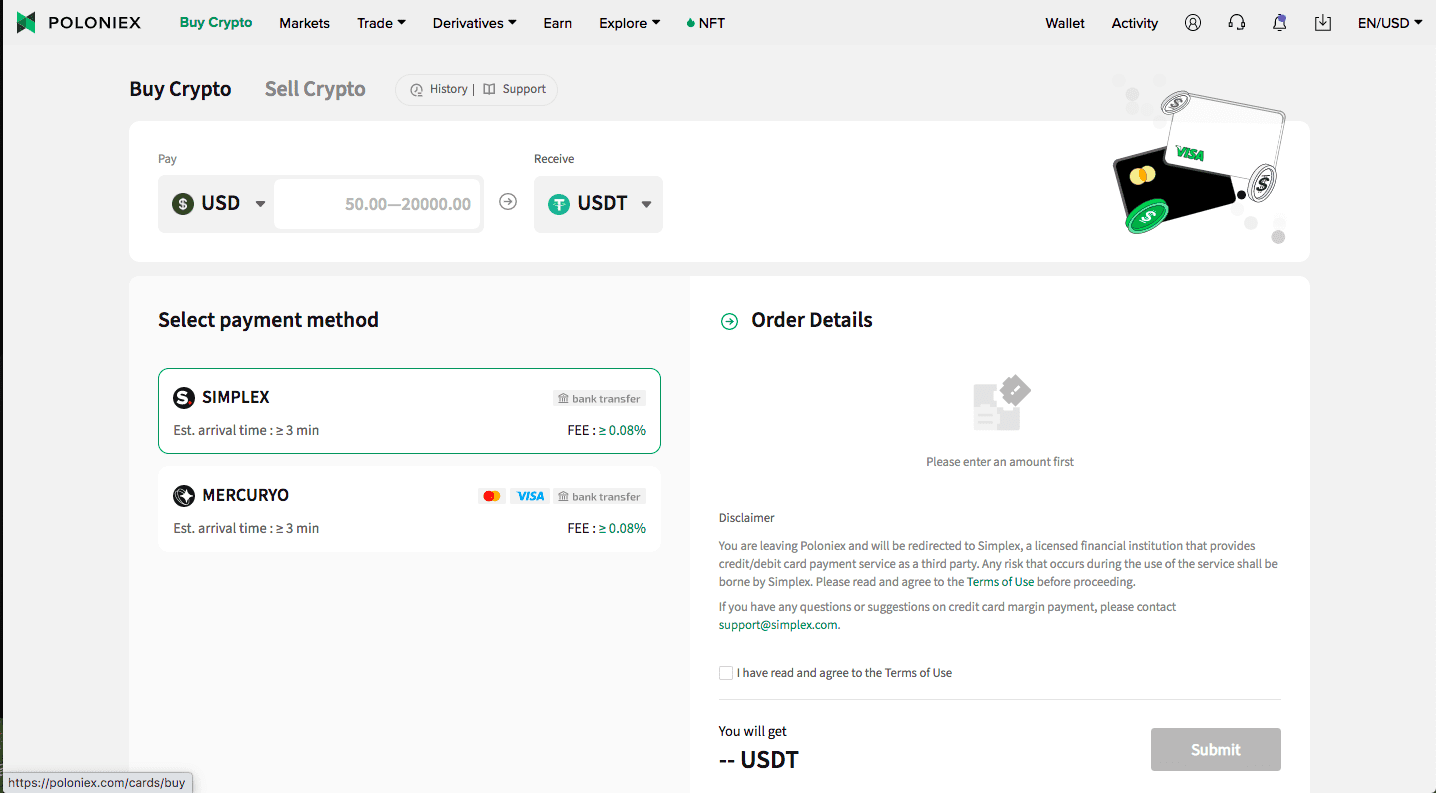
The fees will be displayed on the right panel. You will need a Simplex or Mercuryo account to complete our purchase. If you don’t have either, don’t worry, as you can sign up after you click “Submit.”
If you already have an account, you can log in, and your purchase will be complete!
That’s it for how to Ethereum on Poloniex! If you check your assets, you will see your ETH in your wallet.



 English
  French
  German
  Italian
  Spanish (Spain)
  Spanish (Mexico)
  Portuguese
  Japanese
  Polish
  Bulgarian
  Czech
Czech  Danish
  Dutch
Dutch  Estonian
  Finnish
  Greek
Greek  Hungarian
  Latvian
  Lithuanian
  Romanian
  Russian
  Slovak
  Slovenian
  Swedish
  Chinese (China)
  Chinese (Hong Kong)
  Korean
  Norwegian
  Turkish
  Indonesian
  Ukrainian